Don’t Just Use
AI.
Learn to Build With It
Master Generative AI through hands-on learning — from Python and LLM APIs to RAG, AI Agents, LangGraph and real-world AI applications.
-
Apply Now

Call Us for Enquiry
+91 9958060612
Secure Your Spot
DevOps Tools You’ll Master














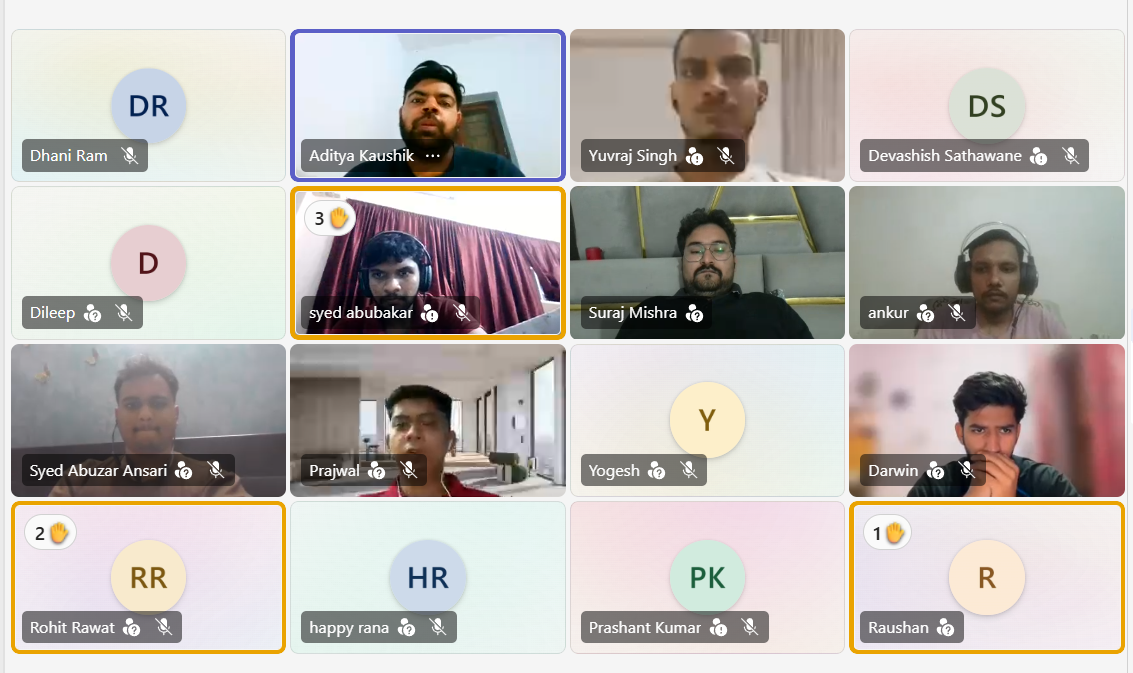
35th DevOps Program launched successfully on 19th June 2026.
Experience live, mentor-led learning. Seats are filling fast — Hurry Up!
Course Curriculum
Designed by industry experts, our DevOps course blends theory and hands-on DevOps training to solve real-world challenges.
- Industry-Relevant Curriculum
Linux
Topics Covered
- Linux Introduction
- Linux Commands
- Directory Structure
- Linux User & Group Management
- Bash Scripting
- SSH
- Text Processing
- Process Management
- Package Management
Version Control System(VCS)
Topics Covered
- Version Control System Introduction
- Introduction to Git
- Git Basic Commands
- Git Branching
- Git Advanced Commands
- Git Workflows
- Gitlab Initials
Build Tool Maven
Topics Covered
- Why Build tool
- Types of build tools
- Introduction to Maven
- Maven vs Ant
- Convention in Maven
- Installation
- Maven commands
Ansible
Topics Covered
- Introduction To SCM
- Ansible VS other Players
- Ansible Introduction
- Setup Ansible Core
- YAML Syntax
- Ansible Adhoc Commands
- Ansible Inventory
- Ansible Module
- Ansible Playbook
- Ansible Playbook Advance
- Ansible Role
- Ansible Galaxy
- Ansible Vault
CI/CD
Topics Covered
- Introduction CI/CD
- Introduction Jenkins
- Installation – Getting started with Jenkins
- Jobs and Projects
- Jenkins Pipeline
- Jenkins Post Build, Reporting and Notifications
- Extending Jenkins
- Advanced Build Configuration
- Jenkins Agents/Nodes/Slaves/Distributed Builds
- Code Coverage & Testing
- Code Quality
- Code Quality
- Jenkins Security, Authentication and Authorization
- Jenkins Shared Libraries
- Jenkins Backup & Restore
AWS
Topics Covered
- Revision of VPC( Networking and EC2 )
- Load Balancers
- Autoscaling
- IAM revision
- S3
- Cloudfront
- Awscli
- DNS system
- Route53
- Terraform introduction
- Terraform resources, variables and output
- Loops ( count and for_each )
- Some meta Arguments ( ex . depends_on, data, dynamic block, Backend configuration using terraform)
- Terraform Modules
Docker & Kubernetes
Topics Covered
- Why MS
- Virtualization vs Containerization
- Docker Architecture
- Docker Conatiner Lifecycle
- Data Persist, Port Mapping and Env Variable
- Docker Resource Utilization/Stats
- Docker Networking
- Dockerfile
- Docker Compose
- K8s Architecture
- Pods
- Labels n Selectors, Replicasets
- Deployment
- Service
Linux
Topics Covered:
- Linux Introduction
- Linux Commands
- Directory Structure
- Linux User & Group Management
- Bash Scripting
- SSH
- Text Processing
- Process Management
- Package Management
Version Control System(VCS)
- Version Control System Introduction
- Introduction to Git
- Git Basic Commands
- Git Branching
- Git Advanced Commands
- Git Workflows
- Gitlab Initials
Build Tool Maven
Topics Covered
- Why Build tool
- Types of build tools
- Introduction to Maven
- Maven vs Ant
- Convention in Maven
- Installation
- Maven commands
Ansible
Topics Covered
- Introduction To SCM
- Ansible VS other Players
- Ansible Introduction
- Setup Ansible Core
- YAML Syntax
- Ansible Adhoc Commands
- Ansible Inventory
- Ansible Module
- Ansible Playbook
- Ansible Playbook Advance
- Ansible Role
- Ansible Galaxy
- Ansible Vault
CI/CD
Topics Covered
- Introduction CI/CD
- Introduction Jenkins
- Installation – Getting started with Jenkins
- Jobs and Projects
- Jenkins Pipeline
- Jenkins Post Build, Reporting and Notifications
- Extending Jenkins
- Advanced Build Configuration
- Jenkins Agents/Nodes/Slaves/Distributed Builds
- Code Coverage & Testing
- Code Quality
- Code Quality
- Jenkins Security, Authentication and Authorization
- Jenkins Shared Libraries
- Jenkins Backup & Restore
AWS
Topics Covered
- Revision of VPC( Networking and EC2 )
- Load Balancers
- Autoscaling
- IAM revision
- S3
- Cloudfront
- Awscli
- DNS system
- Route53
- Terraform introduction
- Terraform resources, variables and output
- Loops ( count and for_each )
- Some meta Arguments ( ex . depends_on, data, dynamic block, Backend configuration using terraform)
- Terraform Modules
Docker & Kubernetes
Topics Covered
- Why MS
- Virtualization vs Containerization
- Docker Architecture
- Docker Conatiner Lifecycle
- Data Persist, Port Mapping and Env Variable
- Docker Resource Utilization/Stats
- Docker Networking
- Dockerfile
- Docker Compose
- K8s Architecture
- Pods
- Labels n Selectors, Replicasets
- Deployment
- Service
Key Features
- Live Mentor-Led Sessions
- Hands-On, Project-Based Learning
- Tool Mastery
- Slack & WhatsApp Community Access
- Mock Interviews
- Structured Curriculum with Industry Relevance.
- Weekend Batches
- Ninja Certificate Upon Completion
- Gamified classroom / quizzes / assignments
Showcase Your Skills with a Recognized Ninja Certificate
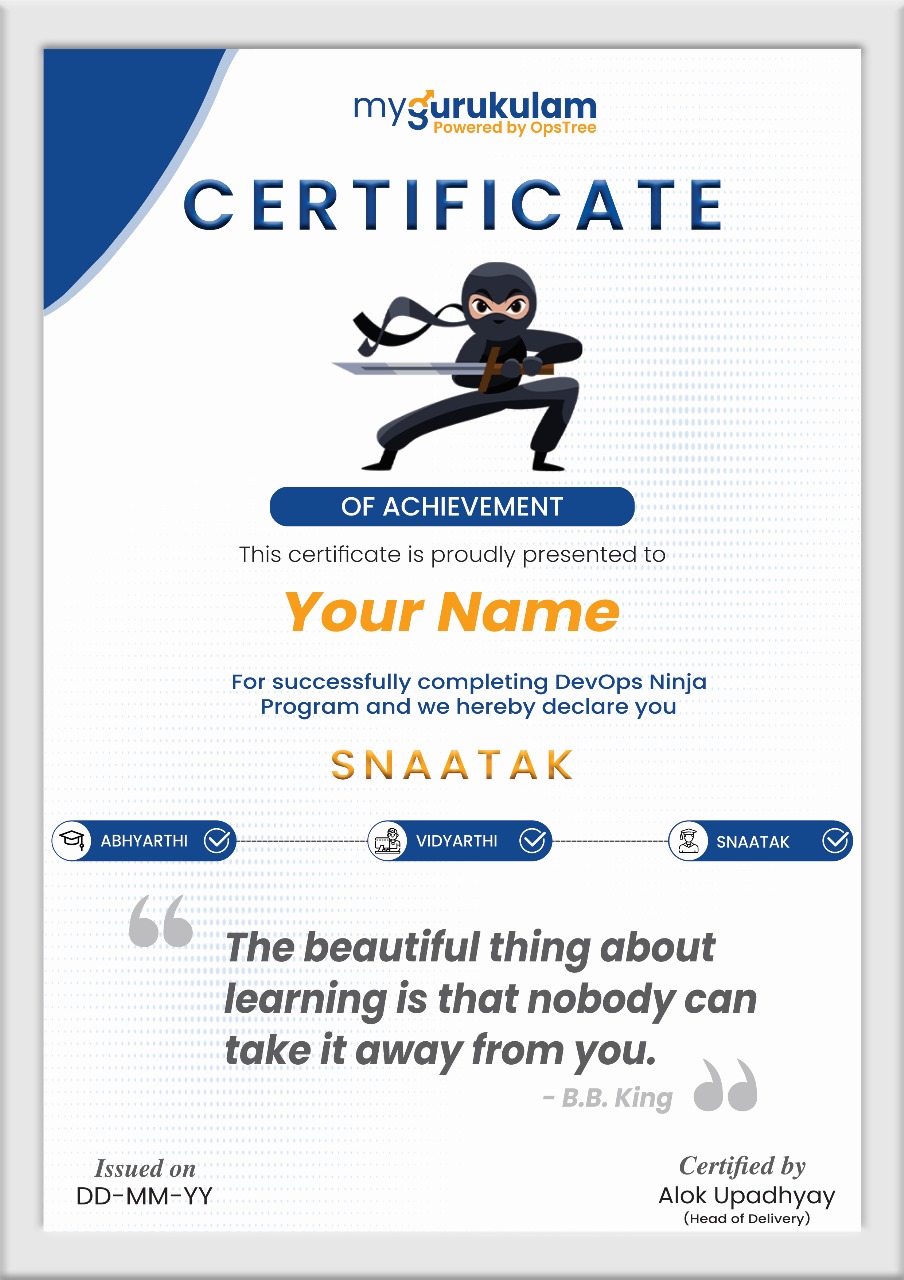
Industry-Recognized Certificate
Complete our DevOps course with placement and earn a certificate valued by top hiring companies.
Boost Your Career Credibility
Validate your skills with the best DevOps course in India and crack real job interviews.
Proof of Performance
Your certificate reflects project work, tool mastery, and your readiness to contribute from day one.
What You Will Build
Every weekend, two hands‑on projects — from Python scripts to production‑ready AI apps.
- Word Counter Script Read a .txt file, count words, print summary
- LLM Summariser Send file content to an LLM and print the summarised response
- Provider Comparison Script Call two providers with same prompt, print side‑by‑side
- Token Counter & Cost Estimator Count tokens and estimate API cost before sending
- Structured Field Extractor Extract name, date, amount from messy text
- Tool‑Calling Agent Three mock tools (weather, calc, news) – model picks the right one
- CLI Chatbot (SDK vs LangChain) Multi‑turn chatbot built both ways – compare
- PDF RAG Pipeline Ingest PDF, chunk, embed, store, retrieve top chunks
- Q&A Chatbot with Streaming Full RAG over multi‑document knowledge base
- Manual ReAct Agent Agent from scratch with search, calc, multi‑step reasoning
- LangGraph Agent Rebuild manual agent with state, branching, guardrails
- Memory‑Persistent Agent Cross‑session memory – remembers user preferences
- LangSmith Eval Suite Faithfulness, relevance eval for RAG chatbot
- Streamlit App with Guardrails Deploy LangGraph agent as live app with safety
- GitHub‑Ready Application End‑to‑end AI app built, tested, pushed to GitHub
- Live Demo Day App Deployed app presented with demo and evaluation results
Your Journey into Generative AI
Learn to create, innovate and lead with next-generation AI
Week-by-Week Curriculum
Full-day sessions every weekend — from Python basics to shipping a live AI application.
- Setting up Python, VS Code, and a virtual environment
- Variables and data types: strings, lists, dicts, booleans
- Functions, loops, and conditionals, with hands-on exercises
- Basic I/O: reading input and printing formatted output
- How pip and package management actually work
- Storing API keys safely with .env files
- Reading environment variables in code with the os module
- Making HTTP calls and parsing JSON responses with requests
- f-strings and string manipulation for building prompts
- Reading from and writing to .txt and .json files
- pandas basics: loading, filtering, and inspecting data
- Loading secrets cleanly with python-dotenv
- Installing the Anthropic and OpenAI SDKs via pip
- API keys, headers, and authentication, explained
- Making your first real API call, and what the request/response actually looks like
- Parsing the API response JSON to pull out the model's reply
- Handling basic errors: rate limits, invalid keys, timeouts
- Why streaming responses matter for user experience
- Tokens: what they are and how they affect cost
- Best practices: never hardcode keys, always use .env
- What is AI, ML, and Generative AI – the big picture
- How LLMs work: transformers, attention, and next-token prediction
- Comparing OpenAI, Anthropic, Google Gemini, and open-source models
- When to use which provider (cost, speed, quality, context length)
- Understanding system prompts, user prompts, and assistant roles
- Model parameters: temperature, top-p, max tokens, presence/frequency penalties
- Building a simple CLI to switch between providers on the fly
- Handling provider-specific API differences
- Tokenization: how words become numbers (BPE, WordPiece)
- Embeddings vs. contextual embeddings (BERT vs. GPT)
- Attention mechanisms – intuition without the heavy math
- Prompt engineering basics: zero-shot, few-shot, chain-of-thought
- Logit bias, logprobs, and why they matter for debugging
- Hallucinations, calibration, and uncertainty in LLM outputs
- Measuring cost: token counting and price per 1k tokens
- Structured vs. unstructured outputs – when to use JSON mode
- The anatomy of a prompt: system, user, and assistant roles
- What system prompts do, and how to write good ones
- Zero-shot vs few-shot prompting, and when to use each
- Chain-of-thought prompting: getting the model to reason step by step
- Role prompting: giving the model a persona
- Asking for the output format you actually want: JSON, markdown, tables, bullets
- Negative prompting: telling the model what not to do
- Keeping prompts separate from code with prompt versioning
- Common ways prompts fail: hallucination, over-hedging, ignored instructions
- A systematic way to iterate on a bad prompt until it works
- Forcing valid JSON out of the model with JSON mode
- Defining output schemas in Python with Pydantic models
- Validating and parsing structured LLM responses with Pydantic
- What function calling (tool use) actually is, and why it matters
- Defining tools: names, descriptions, and parameter schemas
- How the model decides which tool to call
- Executing a tool call and feeding the result back to the model
- Chaining multiple tool calls for multi-step reasoning
- What happens when a tool fails, and how to handle it
- Real-world use cases: web search, database lookups, calculators
- A deep dive into the Anthropic and OpenAI SDKs: client setup, message structure
- Streaming responses in Python and handling chunks as they arrive
- Why async API calls matter for performance
- Managing rate limits with retry logic and exponential backoff
- Token budgeting: setting max_tokens and estimating cost up front
- Setting up and running open-source models locally with Ollama
- Why LangChain exists, and what it solves that raw SDKs don't
- Prompt templates in LangChain: PromptTemplate and ChatPromptTemplate
- Chaining prompts and models together with LLMChain and LCEL
- Document loaders, text splitters, and output parsers in LangChain
- What vector embeddings actually are: numbers that capture meaning
- How cosine similarity measures semantic closeness
- Generating embeddings locally and for free with sentence-transformers
- What a vector database is, and why you actually need one
- Setting up ChromaDB: collections, adding documents, querying
- Chunking strategies: fixed size, sentence, paragraph, semantic
- Why your chunking strategy quietly determines retrieval quality
- Building a basic retrieval pipeline from scratch
- The full RAG flow: ingest, embed, store, retrieve, generate
- Common ways RAG breaks: poor chunking, bad retrieval, hallucinating on retrieved content
- Connecting retrieval to generation: passing chunks as context
- Building a full RAG chain end to end in LangChain
- RetrievalQA and ConversationalRetrievalChain in LangChain
- Reranking retrieved results to actually improve relevance
- Handling multi-document RAG when you have several sources in one pipeline
- Restricting retrieval with metadata filtering: source, date, type
- Hybrid search: combining keyword and semantic retrieval
- Streaming RAG responses to the user in real time
- Designing prompts that ground the model in retrieved context
- Evaluating RAG quality: relevance, faithfulness, completeness
- What an agent actually is: model, tools, and a loop
- The ReAct pattern: reason, act, observe, repeat
- How the model decides what to do at each step
- Building a simple agent loop manually in Python
- Writing tool descriptions the model can actually understand
- Giving agents access to web search, calculators, and APIs
- What MCP (Model Context Protocol) is, and why it's becoming the standard way to connect agents to tools
- Connecting an agent to an MCP server alongside your own custom tools
- How an agent plans its way through a multi-step task
- When agents fail: stuck loops, wrong tool choices – and guardrails: scope limits, max iterations, fallback behaviour
- Why LangGraph: stateful, cyclic graphs for agentic workflows
- Nodes, edges, and conditional edges – building a graph step by step
- State management: how to pass and update state across nodes
- Adding tools to a LangGraph agent
- Checkpointing and persistence – saving graph state
- Human-in-the-loop: interrupting and resuming graph execution
- Comparing LangGraph with LangChain’s old AgentExecutor
- Using LangGraph for multi-agent collaboration
- Debugging graph execution with visual traces
- Short-term vs long-term memory in AI agents
- Storing conversation history in SQLite / Redis
- Summarizing past interactions to fit context windows
- Using LangGraph’s built-in memory persistence
- User-specific memory: preferences, IDs, and session handling
- Handling state conflicts and versioning
- Memory-aware prompt design
- Cleaning and pruning memory to avoid bloat
- Why evaluation is non‑negotiable for production AI
- Building a dataset of test prompts + expected outputs
- Measuring faithfulness, relevance, and conciseness
- Using LangSmith to trace, monitor, and debug every LLM call
- Creating custom evaluators (LLM-as-judge, code-based metrics)
- System design: architecture patterns for RAG and agentic apps
- Caching strategies to reduce cost and latency
- Scaling: when to move from ChromaDB to Pinecone / Weaviate
- Alerting and dashboards for production AI systems
- Turning a Jupyter notebook into a deployable Python package
- Building a UI with Streamlit – fast, clean, and interactive
- Deploying to the cloud (Hugging Face Spaces / Render / AWS)
- Environment variables and secrets in production
- Input validation and sanitization to prevent prompt injection
- Rate limiting and authentication for public apps
- Content moderation: filtering toxic or unsafe outputs
- Monitoring costs in production
- Rollback strategies and versioned deployments
- Choosing your capstone idea: RAG chatbot, agentic workflow, or something new
- System design review with mentors
- End-to-end implementation – from data ingestion to UI
- Writing clean, documented, and testable code
- Performance tuning and cost optimization
- Adding a README, requirements.txt, and deployment instructions
- Final local testing and debugging
- Pushing to GitHub with a professional repository structure
- Deploying your app to a public URL
- Preparing a live demo script – 5 minutes, clear and compelling
- Architecture walkthrough: explaining your design decisions
- Showing evaluation results and cost metrics
- Handling live Q&A from peers and mentors
- Receiving feedback and planning your next iteration
- Celebrating your journey from zero to shipped AI application
- Next steps: where to go from here (advanced topics, specialisation)
Admission Process
Three simple steps to secure your place in the Gen AI Program.
Who Should Apply?
Built for anyone with a technical foundation who wants to build, ship, and lead with Generative AI.
Have doubts?
As a MyGurukulam graduate, you get full support in preparing for roles, cracking interviews, and stepping into the tech world with confidence.
How to Enroll Job Guranteed Program
Join Gen AI community
Your AI Journey Starts With Staying Connected
Stay updated with the latest Gen AI insights, program updates, learning resources, and community discussions — all in one place. Join the MyGurukulam Gen AI WhatsApp Community and learn, connect, and grow with AI.
DevOps is for Everyone – Even You
Our DevOps course is designed for freshers, graduates, and working professionals from all backgrounds.

Students & Freshers

Working Professionals

Career Switchers

Any Tech Background
Limited Seats. 100% Guaranteed Job. Enroll Now!
100% Job Placement Guarantee — But hurry, only a few seats left in the upcoming batch!
Next Batch Starts on
18 July, 2025
Limited Seats. 100% Guaranteed Job. Enroll Now!
100% Job Placement Guarantee (on the basis of Performance) — But hurry, only a few seats left in the upcoming batch!
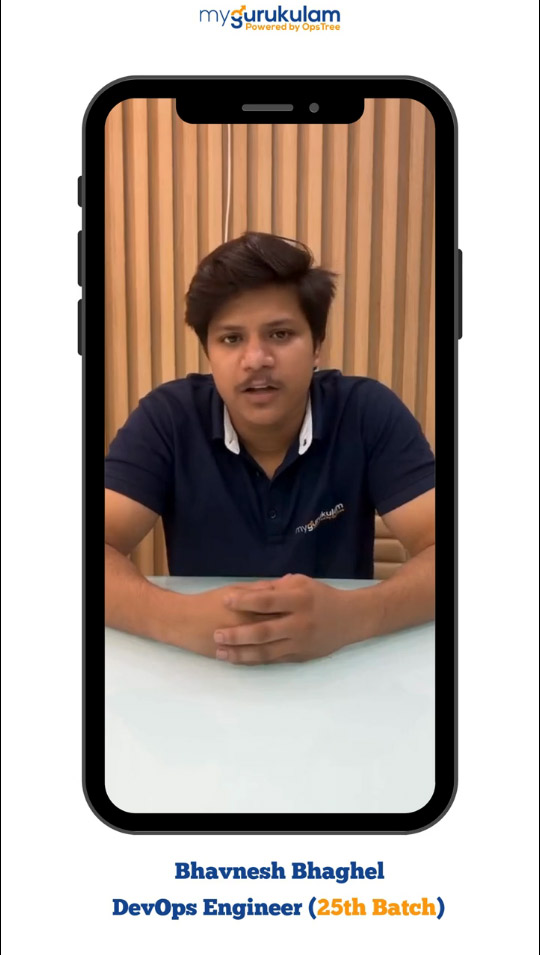
DevOps Learners Reviews

4.8/5



Frequently Asked Questions
Yes. You'll build real-world AI applications and gain the skills to create your own AI-powered products
This course equips you with in-demand skills, practical
experience, and projects to strengthen your job prospects.(job on the basis of performance)
Absolutely. The program is project-based with hands-on
labs, real-world use cases, and guided implementation.
Learn from experienced industry professionals with
expertise in AI, software development, and real-world
applications.
Yes. With practical learning, industry-relevant projects, and
career-focused skills, the course offers strong value for
aspiring AI professionals.
DevOps Training Across India with MyGurukulam
Our online DevOps Program is designed for learners across India — no matter where you are, expert-led training is just a click away.